Just want to download a video?
Paste any Bluesky post link into our free Bluesky video downloader and save it in seconds. Full HD, no watermark, no account.
⬇️ Open the free video downloader →A Bluesky video downloader is the fastest way to save a video from Bluesky to your phone or computer, because Bluesky itself gives you no download button. If you have ever wanted to keep a clip, repost it with credit, or watch it offline, you have probably discovered that right-clicking does not work and screen recording looks rough. This guide explains exactly how a Bluesky video downloader works, how to use one on any device, and how to get the original file in full quality with no watermark.
Quick answer
- What it does: saves the original MP4 video from a Bluesky post to your device.
- How: paste the post link into a free tool like BskySuite, then click download.
- Quality: full HD, up to 1080p, with no watermark.
- Cost: free, no account and no download limit.
- Devices: iPhone, Android, Windows, and Mac, all through the browser.
What is a Bluesky video downloader?
A Bluesky video downloader is a tool that takes the link to a Bluesky post and returns the video file attached to it. Bluesky is built on the open AT Protocol, which means public posts and their media are available through a public interface. The downloader uses that public data to locate the original MP4 the creator uploaded and hand it to you as a normal file, rather than the streamed preview you see while scrolling.
The practical benefit is quality and convenience. Instead of a blurry screen recording that captures interface buttons and drops frames, you get the clean, original video exactly as it was posted, with sound intact and nothing added on top.
Why does Bluesky have no download button?
Like most social platforms, Bluesky streams video for playback rather than offering a save option. There is no menu item to export a clip, and browsers deliberately make it hard to save streamed media directly. That is why a dedicated downloader exists: it reads the public post, finds the underlying video file, and makes it downloadable in one step. Nothing about this bypasses privacy settings, because it only works with public posts.
How to download a Bluesky video in 3 steps
Using the BskySuite video downloader takes under a minute and works the same on every device.
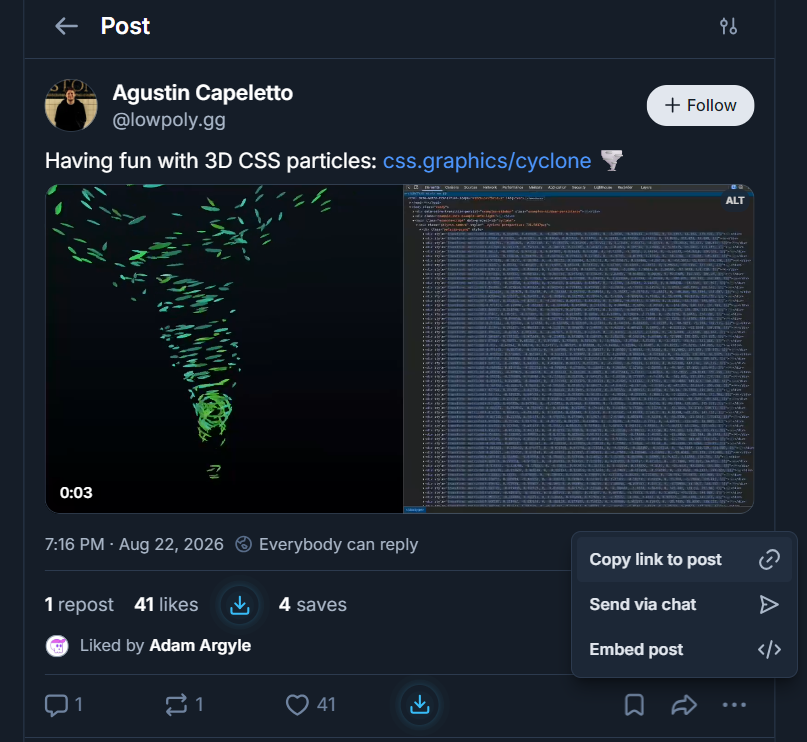
- Copy the post linkOpen the Bluesky post with the video. Tap the share or more icon, then choose Copy link to post.
- Paste it into the downloaderOpen BskySuite and paste the link into the input box at the top of the page.
- Download the videoThe tool loads the post and shows a download button. Click it to save the video as an MP4 in full quality.
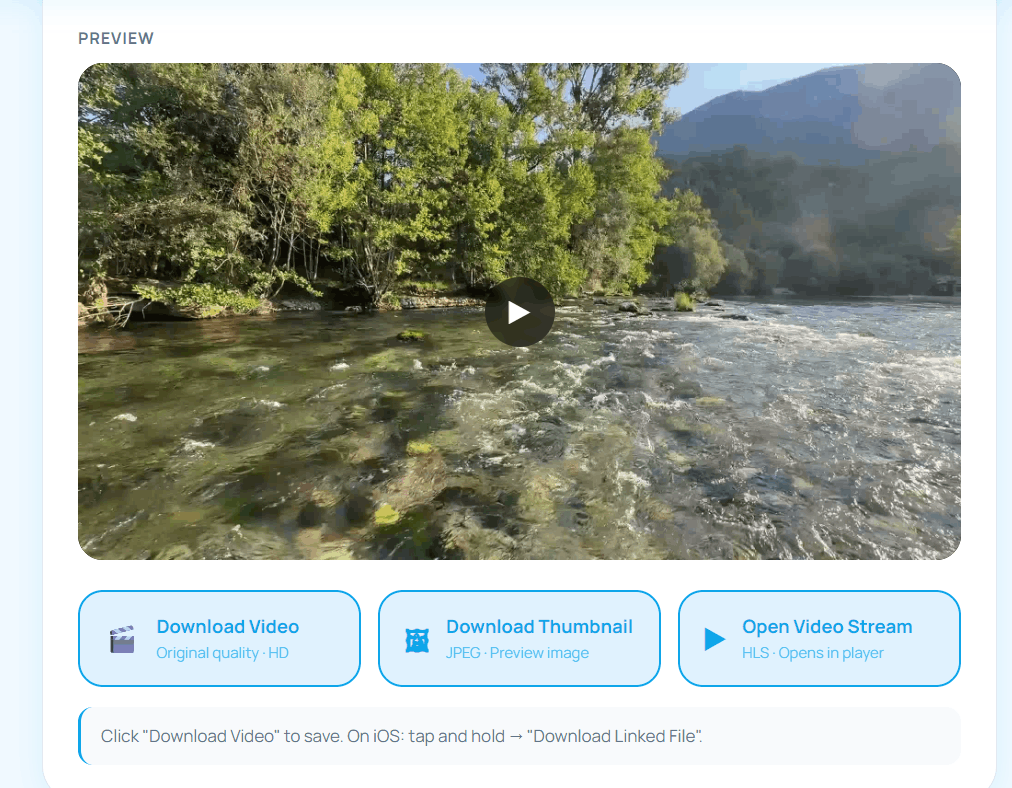
Faster option: the free Bluesky Media Downloader extension adds a download button directly inside Bluesky, so you can skip the copy-and-paste step entirely.
How to download Bluesky videos on iPhone
Saving video from social apps on iOS is usually awkward, but a browser-based downloader makes it simple:
- In the Bluesky app, tap the share icon on the post and choose Copy Link.
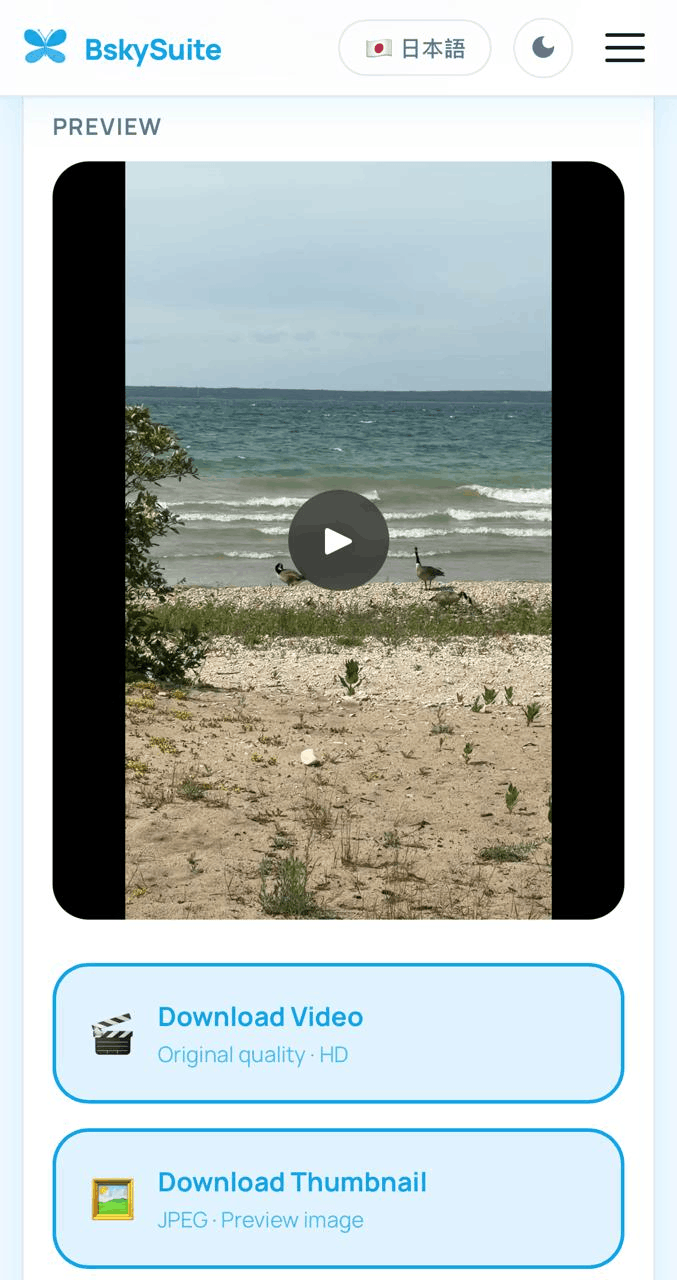
- Open BskySuite in Safari and paste the link, then tap download.
- If the video opens in a new tab, tap and hold it and choose Download Linked File, or use the share sheet to save it to Files.
- From the Files app you can move the MP4 into Photos if you want it in your camera roll.
How to download Bluesky videos on Android
Android handles downloads more directly than iOS:
- Tap the post menu in the Bluesky app and choose Copy Link.
- Open BskySuite in Chrome, paste the link, and tap download.
- The MP4 saves straight to your Downloads folder and appears in your Gallery or Files app.
How to download Bluesky videos on desktop
On Windows or Mac the process is effortless. Copy the post link from the Bluesky web app or your browser address bar, paste it into the downloader, and click the download button. The MP4 saves to your Downloads folder in its original format, ready for editing, presentations, or offline viewing.
Full quality and no watermark: why the source file matters
The single biggest reason to use a real downloader instead of a workaround is quality. A screen recording is capped at your screen resolution, includes on-screen buttons, and often stutters. A proper Bluesky video downloader retrieves the original MP4 from Bluesky's servers, so you get the exact resolution and bitrate the creator uploaded, up to 1080p, with the audio track intact. No watermark is ever added, because the file is delivered untouched.
Downloader vs screen recording: which is better?
Some people try to screen record a Bluesky video instead of downloading it. For a quick throwaway clip that can work, but the difference in the result is significant.
Screen recording
- Limited to your screen resolution
- Captures buttons and interface clutter
- Can stutter or drop frames
- Audio may be out of sync
- Needs manual trimming afterwards
Bluesky video downloader Full quality
- Saves the original MP4 file
- No buttons, no overlay, no watermark
- Full resolution up to 1080p
- Clean, in-sync audio
- Ready to use immediately
Save any Bluesky video in one click
BskySuite is a free Bluesky video downloader that also handles GIFs and images. No login, no watermark, works on every device.
⬇️ Try the free downloader now →Bsky to MP4: what format you actually get
People often search for how to convert a "bsky to MP4," which suggests a conversion step is needed. In practice there is nothing to convert. Bluesky already stores and serves video as MP4, using H.264 for video and AAC for audio, so a downloader simply hands you that existing file. No re-encoding happens, which is exactly why there is no quality loss.
MP4 is a useful default because it is the most universally compatible video container in use. The file you save will play without conversion on iPhone and Android, in Windows Media Player and QuickTime, in every major browser, and in editing software such as Premiere, Final Cut, DaVinci Resolve, CapCut, and iMovie. If a tool asks you to "convert" a Bluesky video to MP4 before downloading, it is adding a step that is not needed and will usually degrade quality by re-encoding.
Two practical notes. Longer videos are served in segments for smooth streaming, and the downloader resolves those segments into a single file for you. And if you specifically need a different format, such as WebM or a GIF, convert the MP4 afterwards with a free tool rather than looking for a downloader that outputs it directly, since converting from the original file always beats converting from a lower-quality copy.
Can you download videos from private Bluesky accounts?
No, and no legitimate tool can. Posts from private or protected accounts are not served through Bluesky's public API, so there is nothing for a downloader to retrieve. Because BskySuite uses no login credentials, it has no way to see content that Bluesky does not make publicly available, and it cannot bypass anyone's privacy settings. Any service claiming to download from private accounts is either misrepresenting what it does or asking you to hand over credentials, which you should never do.
The same applies to deleted posts. Once media is removed from Bluesky's servers it is gone, and no downloader can recover it.
Can you download GIFs and images from Bluesky too?
Yes. A good Bluesky downloader is not limited to video. The same tool detects and saves GIFs, including Tenor and Giphy GIFs embedded in posts, as well as single or multiple images at full resolution. You paste the same kind of post link, and BskySuite shows a separate download button for each piece of media in the post. If you specifically want photos, our guide on saving images from Bluesky posts covers that in detail, and there is a dedicated walkthrough for downloading Bluesky GIFs as well.
Common reasons people download Bluesky videos
A Bluesky video downloader is useful in more situations than you might expect:
- Watching offline: save a clip to view later without a connection.
- Reposting with credit: keep a copy so you can re-share it and tag the original creator.
- Archiving your own posts: back up videos you uploaded before they scroll away.
- Editing or reactions: pull a clean source file into a video editor.
- Sharing off-platform: send a video to friends who are not on Bluesky.
In every case, the goal is the same: get the original file quickly, at full quality, without the hassle of workarounds.
Is it safe and free to download Bluesky videos?
Yes on both counts. BskySuite is free with no account, and it never asks for your Bluesky password because it only reads public data. There is no watermark, no sign-up wall, and no cap on how many videos you can save. Everything runs in your browser, so there is no software to install unless you choose the optional extension.
Is it legal to download Bluesky videos?
Downloading a public video for personal use, such as watching it offline or keeping a reference, is generally fine. What matters is what you do next. The video still belongs to the person who made it. Do not repost it as your own, and do not use someone else's video commercially without permission or credit. For a fuller breakdown, see our guide on whether it is legal to download Bluesky videos. When in doubt, ask the creator or simply credit them.
Troubleshooting: video will not download
If a video does not save, it is almost always one of these:
- The post is from a private account. Only public posts can be downloaded.
- The link is wrong. Make sure you copied the link to the specific post, not the profile or the home feed.
- On iPhone, the file opened instead of saving. Tap and hold the video and choose Download Linked File, which is an iOS browser behaviour, not a tool error.
- The post has no video. The tool downloads video, GIFs, and images, but there has to be media attached to the post.
Frequently asked questions
What is a Bluesky video downloader?
A Bluesky video downloader is a tool that saves the original video file from a Bluesky post. You paste the post link, and it retrieves the MP4 through Bluesky's public AT Protocol so you can save it in full quality, without a watermark and without a screen recording.
How do I download a video from Bluesky?
Copy the link to the Bluesky post, paste it into a free downloader like BskySuite, and click download. The video saves as an MP4. It works the same way on iPhone, Android, and desktop.
Is downloading Bluesky videos free?
Yes. BskySuite is completely free, with no account, no sign-up, and no download limit, and it adds no watermark.
Can I download Bluesky videos without an account?
Yes. Public videos can be downloaded without logging in, because Bluesky is built on the open AT Protocol. You never enter your Bluesky password.
Does the downloaded video have a watermark?
No. The downloader retrieves the original MP4 exactly as it was uploaded, so there is no watermark or overlay and no loss of quality.
What format are Bluesky videos downloaded in?
Bluesky serves videos as MP4 files, the most widely compatible format, so the saved file plays on any phone, computer, or editing app without conversion.